
By default, in the SENET Boot system, all players' data will be lost after the PC is restarted. However, you can set up a personal drive where users can save their private files. To do this, install a separate physical drive on the server PC. Its size depends on the number of client computers in the gaming center.
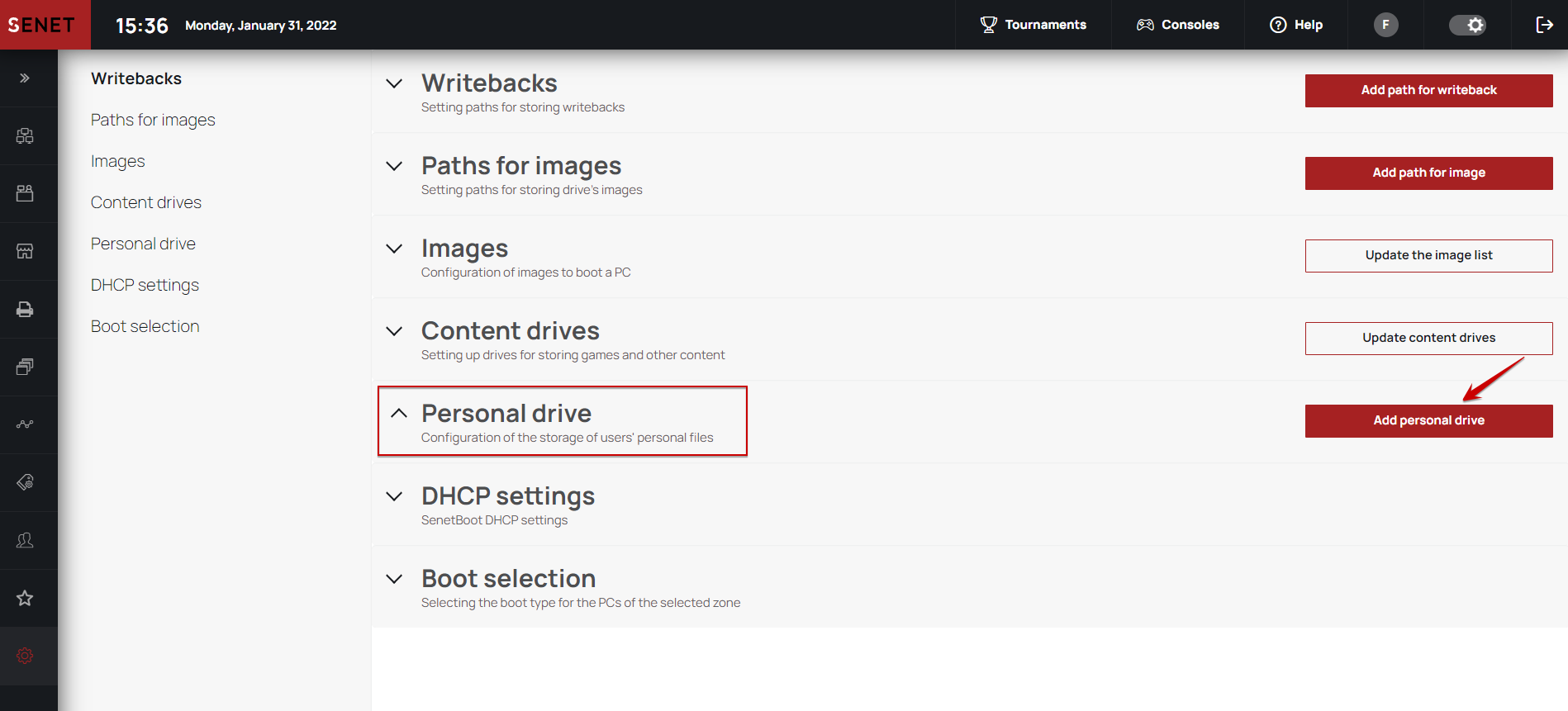
Go to the SENET Boot settings in the local SENET Boot Admin panel or in CAP and open the Personal drive menu. Click the Add personal drive button.
In the window that opens, write the path to the drive on the server in the format D:/. Do not specify a path of the content drive in this field. Next, specify the drive size for gaming PCs (at the moment, you can specify up to 2 GB). Turn on The drive is active option and save entered data.
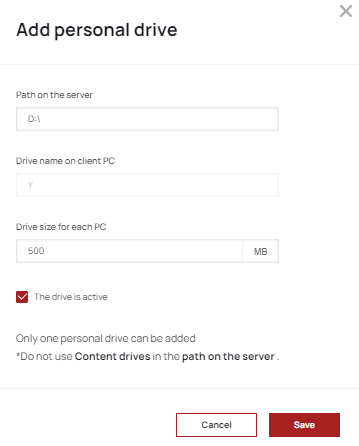
After that, on each client PC an additional virtual disk will appear in the size, that was entered in the CAP. All user files, saved on this drive, will not be deleted after a workstation reboot. To make the personal drive inaccessible on client computers, deactivate The folder is active option.

You can use only one personal drive in the LAN center. It will be bound to client PCs.
The personal drive option is compatible with E-launcher version 9.3 and above.
Comments
0 comments
Please sign in to leave a comment.