
What's new:
CAP. Purchasing of additional services is placed on a separate menu:
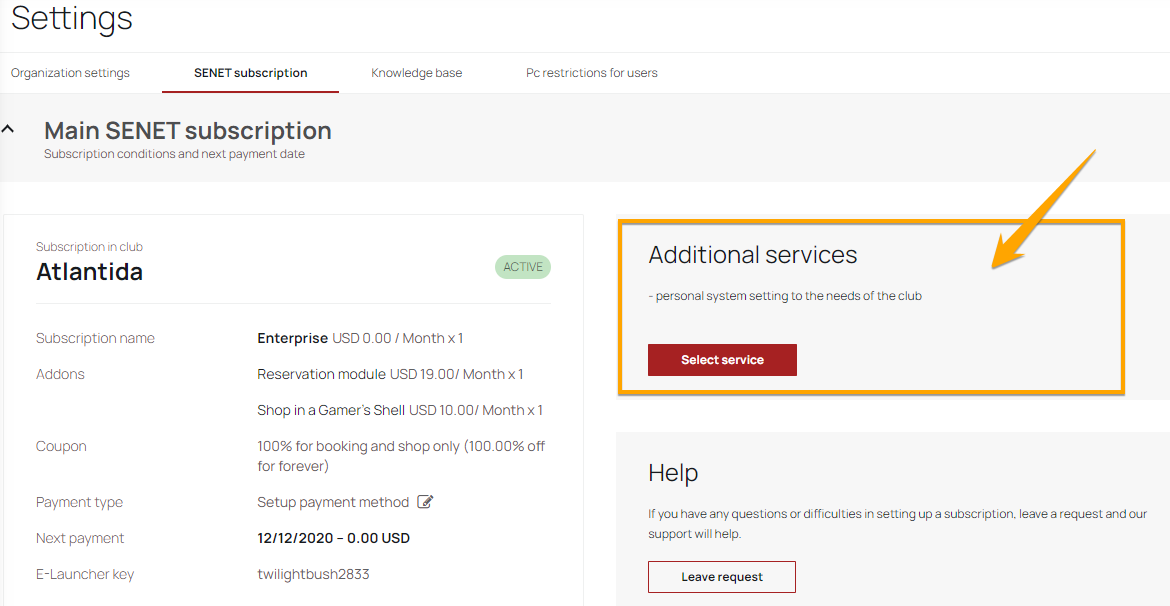
After selecting the needed package of the additional services from the list and clicking on the "Create an invoice" button, a modal window will appear with an invoice.
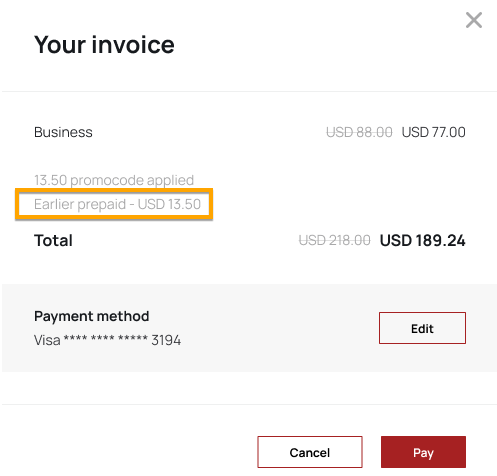
If there was a prepayment for a subscription for a certain amount, information about this will be displayed in the modal window of the invoice:
CAP. Now it’s possible to apply promo codes for the subscriptions in the admin panel.
After clicking on "Change subscription" button in the tariff’s plan settings tab, a modal window will appear, in which you need to enter the promo code.
- After clicking on the "Add" button there will be a validation of the promo code.
- If there were no changes on the subscription editing page, but only a promo code was entered, then after clicking on the "Generate Invoice" button, a modal window will display notifying that the promo code has been added, but the discount will be applied to the next payment for the subscription.
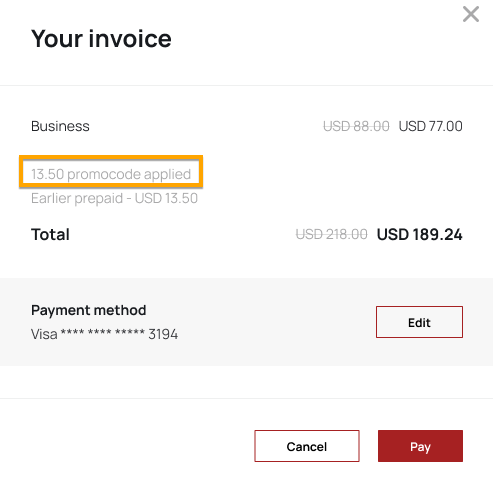
- Information about promo code, that has been applied, will be also displayed in the invoice:
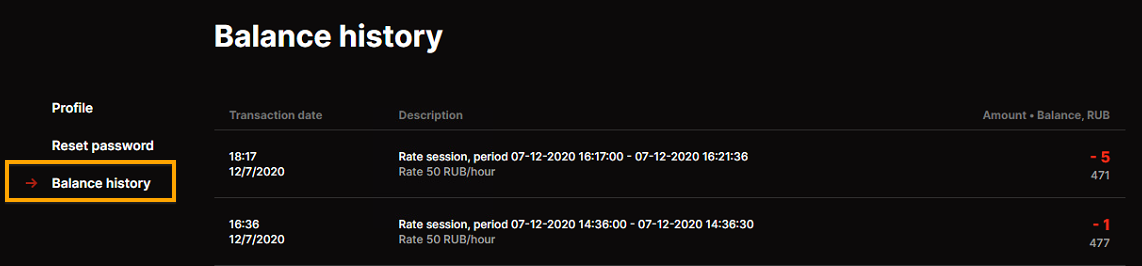
Shell. User’s balance history tab is added to the launcher's interface.
Shell. Displaying of widgets is improved:
1. Added scroll to the ticket`s widget.
2. The switchover of news in the shell will be automatic. The interval of switching between news is 10 seconds.
What's fixed:
1. An error with configuration the speed of the transferring files/folders from one to PC to another.
2. Wrong content translation in the shell. Now, during switching the language interface in the shell, the translation of the content will be in the appropriate language (if such translation is added to the content cards in the admin panel).
3. An error during creating the "Attendance report" by days.
Comments
0 comments
Article is closed for comments.