
CАP (Club Administrative Panel)
1. Rates configuration became more convenient
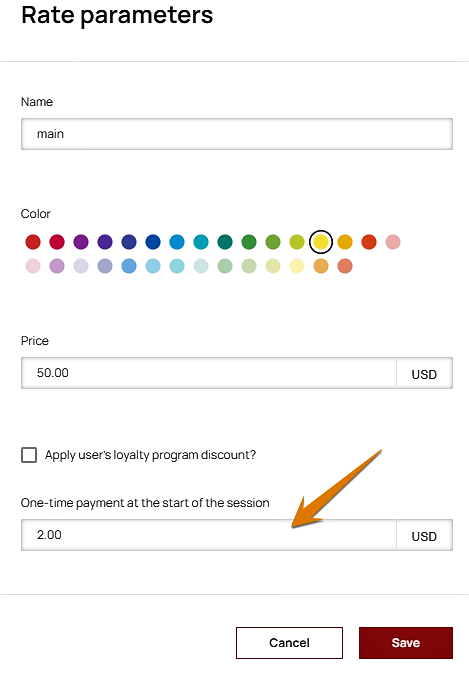
By dint of the new option of a one-time payment at the start of a user's session, you can flexibly and quickly set up a tariff scale for different periods, user's categories, and zones in the club. Thus, the client immediately pays a certain amount of money for the PC "unlocking". You can set a one-time payment when creating the rate. This field is optional, which means, one-time payment can be linked only to those rates, that you want.
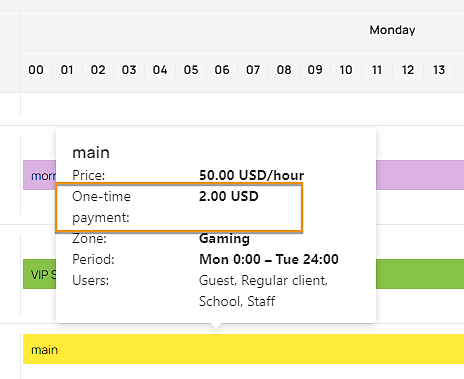
The writing-off of a one-time payment can be checked in the balance history.
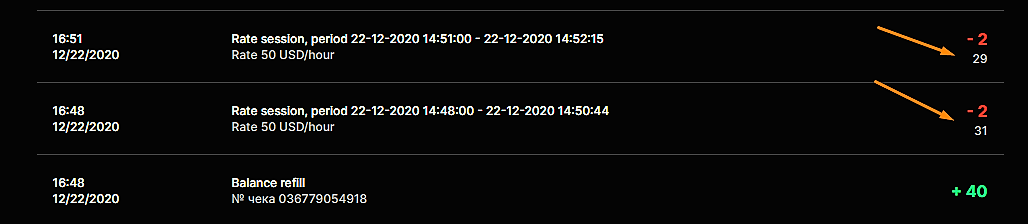
- A one-time payment writes off from the user's balance immediately after the start of the client session, regardless of whether this session was run from the admin panel or the client entered the shell on his own.
- If the client started the session according to the ticket, a one-time payment will also be debited. In this case, at the beginning of the session, the system determines the rate per hour, which would be valid instead of the ticket, and writes off the one-time payment amount, that was set for this rate.
- If the client started a postpaid session, then the one-time payment amount will be added to the amount, that the client pays at the end of the postpaid session.
- If the client does not have enough funds on his balance to write off a one-time payment, a window for balance refilling will appear at the session’s start. If the client doesn't refill the balance, the session will end.
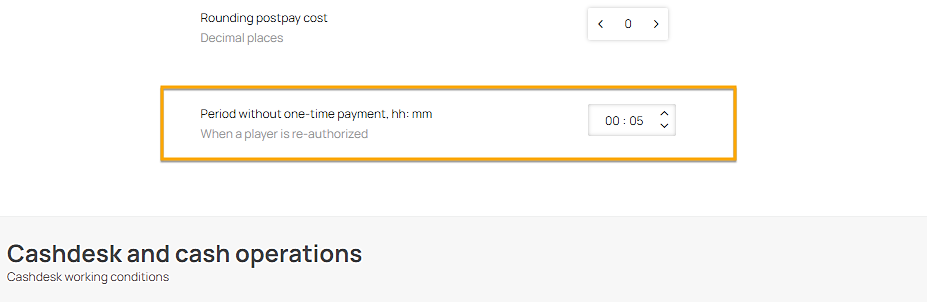
In order to prevent a debiting of the one-time payment from clients’ balance, who are re-authorized in the E-launcher, in the organization's settings in the "Period without one-time payment" parameter, you can specify the period, during which it will not be debited a second time. For example, if the client has finished the session, but wants to start it again, within the period specified in this parameter, this payment will not be debited once more.
2. By numerous requests from our clients, we have added a report about support sessions
Now, you can monitor the time, spent on the PC under the support account, in the "Support sessions" report. This report will help you to track the periods, in which the gaming time was not recorded, which means there was no money debited. This report contains the following information:
• PC number
• start/end date of the support session
• the number of hours, spent on the PC under the support account.
3. Added access rights to the file transfer option
If the club's employee doesn't have this access right, the file transfer command won't be available, and the file/folder transfer speed field remains unchanged.
SHELL
1. New notifications during tickets purchasing in the client's shell
Notification about the available period of the ticket, that user buys. During purchasing a ticket in the shell, information about it's available period for usage will be shown. By the way, if less than 30 minutes are left to the end of the ticket's available period, the remaining time will be displayed in yellow.
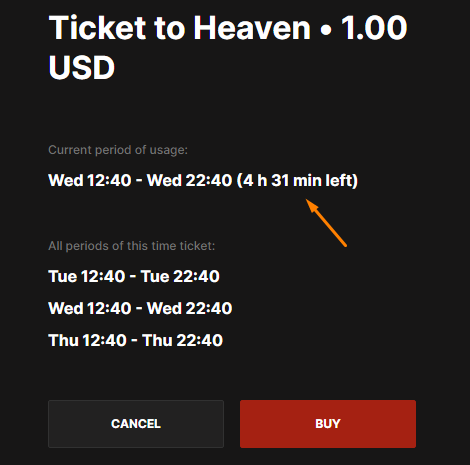
Therefore, before purchasing a ticket, user will always be notified about how much time is left until the end of it's usage period and will understand how long he still can play with this ticket.
Upcoming booking notifications during purchasing a ticket. During buying a ticket, which duration crosses with the duration of booking, made on this PC previously, an additional notification about this will be shown. So, before purchasing this ticket, the user will know that he may need to move to another PC.
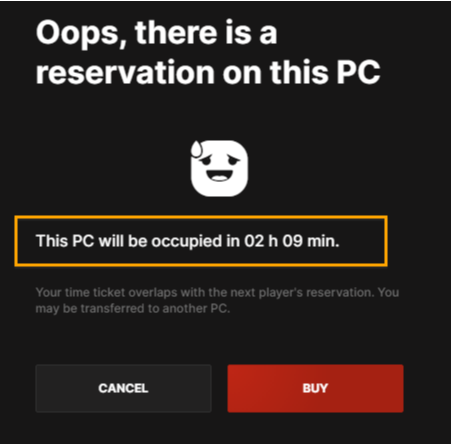
At the same time, if the upcoming booking was made by the user, who is buying the ticket, this notification will not be displayed.
BUGS FIXED
The issue with incorrect displaying of cashier sessions in the " Cashier shifts" tab is fixed. Now, employees can see the information only about those offices from the organization, to which they have access.
Download the patch note in the PDF format you can here.
Comments
0 comments
Article is closed for comments.