
Date: 16.03.21
NEW FEATURES
1. Customization of the new client shell interface.
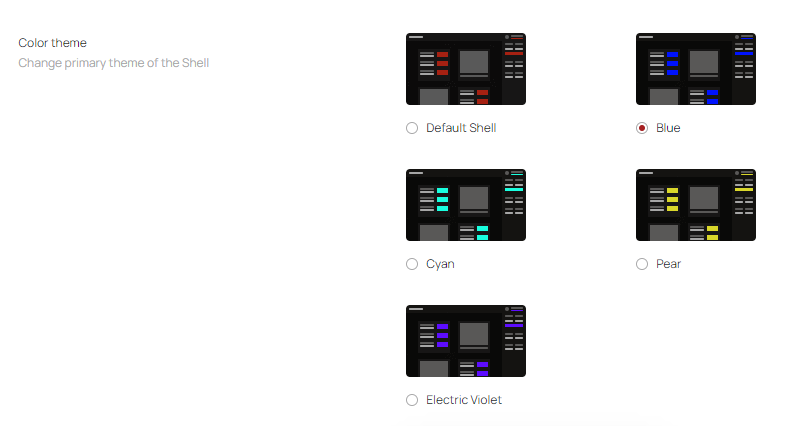
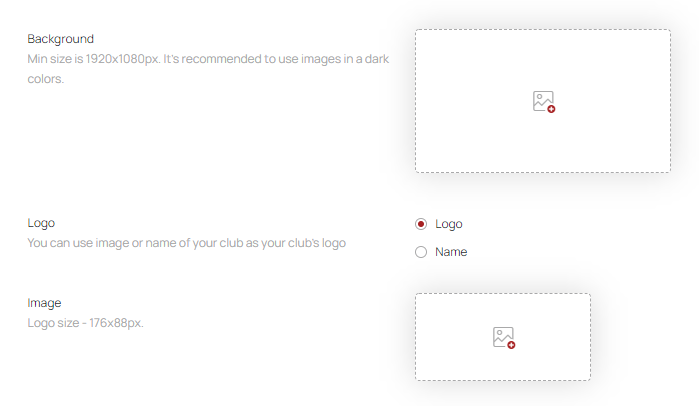
Now the design of the new client shell can be customized in the "Organization Settings" to fit your needs, where you can change the color theme, upload the Shell logo and background image.
2. Plan your purchases of goods using a new report.
Added the new report - "Shop entities balance report" which will help you to check the number of goods in stock at the time of the report creation and analyze the shortage. The report contains 4 columns: product category, vendor code, product name, actual quantity.
IMPROVEMENT
1. Extended structure of a Z-report.
For a more detailed analysis of the results of the cashdesk session, additional fields have been added to the Z-report, such as the amount of added funds to the cashdesk and the amount of all sold goods.
2. Improved format of the shop quantity report.
New columns, which have been added to shop quantity report:
- cashier login - the login of the cashier who sold the product;
- product category - the category of the sold goods;
- sold price sum in restock price - shows the amount of money, spent on the purchase of restocked goods for the selected period;
- profit - shows the revenue from the sold goods, takes into account the money, spent on the goods purchasing.
Also, in this report, the “Quantity” column has been renamed to “Remaining”, which shows the current balance of goods in the stock. The new improved format of this report allows you to find detailed information about the sold items and the profit, received from them.
BUG FIXES
- Fixed a situation, when a ticket-based session of the client was displayed in the balance history as the rate-based session.
- Fixed incorrect calculation of the PC limit in the club, when the workstations switched to the “Offline” status.
- Fixed a bug with displaying the identifier of customer orders in the admin panel. Now, during creating the order in the shell, a red circle is displayed in the "Shop" section field.
- Fixed incorrect displaying of the users' list by searching in the admin panel.
Download the patchnote in PDF format here.
Comments
0 comments
Article is closed for comments.