
Date: 30.11.21.
NEW FEATURES
1. Creation of new user types in CAP
In this release, we took care of wishes from many gaming centers and added the ability to create new types of users in the admin panel. Using this option, you can flexibly configure tickets and rates for different audiences.
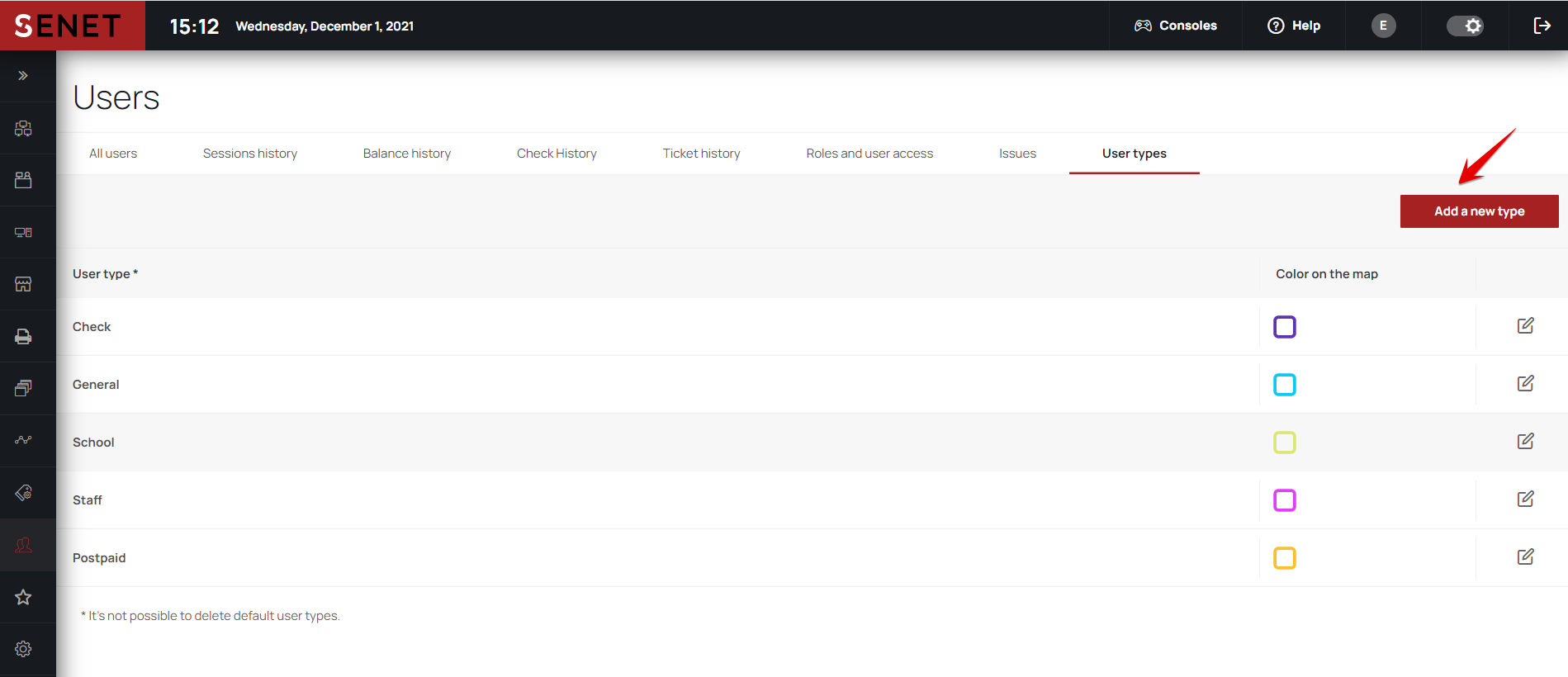
Go to the Users section and open the User types tab (only employees with the Superadmin status in CAP have access here). Click the Add a new type button.
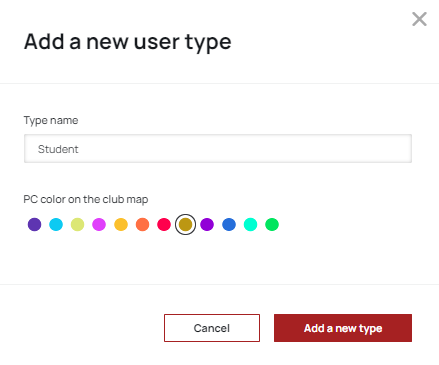
In the window that opens, specify the name of the user type and select color.
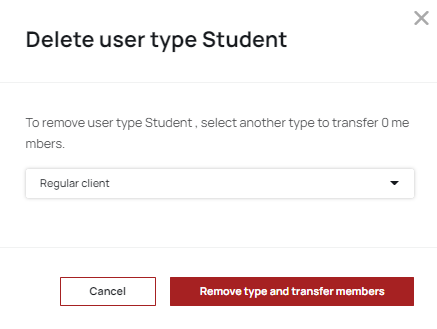
The account type you added will appear in the general list, as well as on the office map. If you need to make changes, click on the edit icon. To delete the created user type, just click on the bin icon. However, in this cass you also need to select the new account type to transfer all participants.
In addition, office load and refills reports will take into account new user types.
IMPROVEMENTS
1. Redesign of the modal window for rate setting up
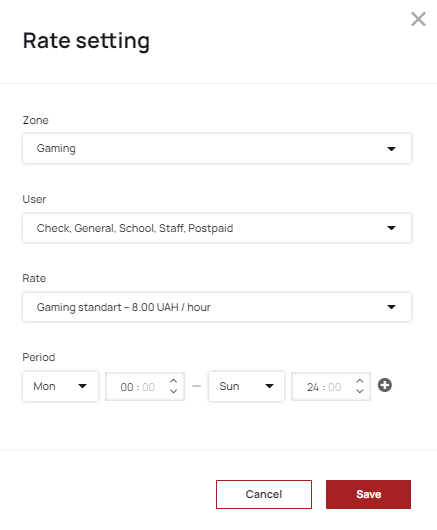
This time we have updated the design of the rate set up modal window and now it looks like this:
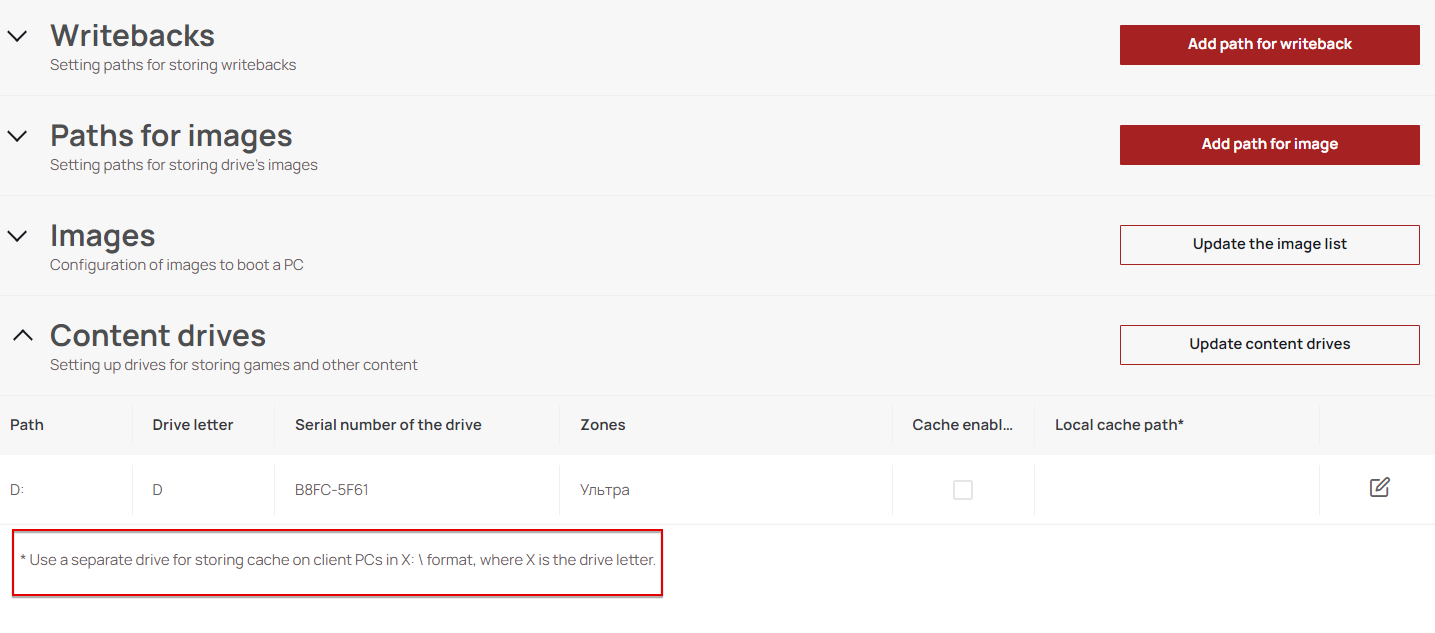
2. Hint for the local cache
Configuring SENET Boot, the recommended format for the local cache data entering can be found at the menu bottom.
BUG FIXES
- Fixed situation, when it was possible to set up rate without zone selecting.
- After selecting two PCs on the office map, you can run the transfer user command again.
- The scroll again displays in the Zone setup tab.
- Fixed incorrect password validation during users logining from the office map.
- Fixed the authorization process on the booking portal after entering the incorrect password.
Comments
0 comments
Please sign in to leave a comment.