
CHANGES
1. SENET Boot system now has its own admin panel. All settings and system activity monitoring can be performed in the SENET Boot Admin application. It has three sections: General, Hardware information, SENETBoot Settings. Only employees with Access-to-SenetBoot-management can open the local admin panel.
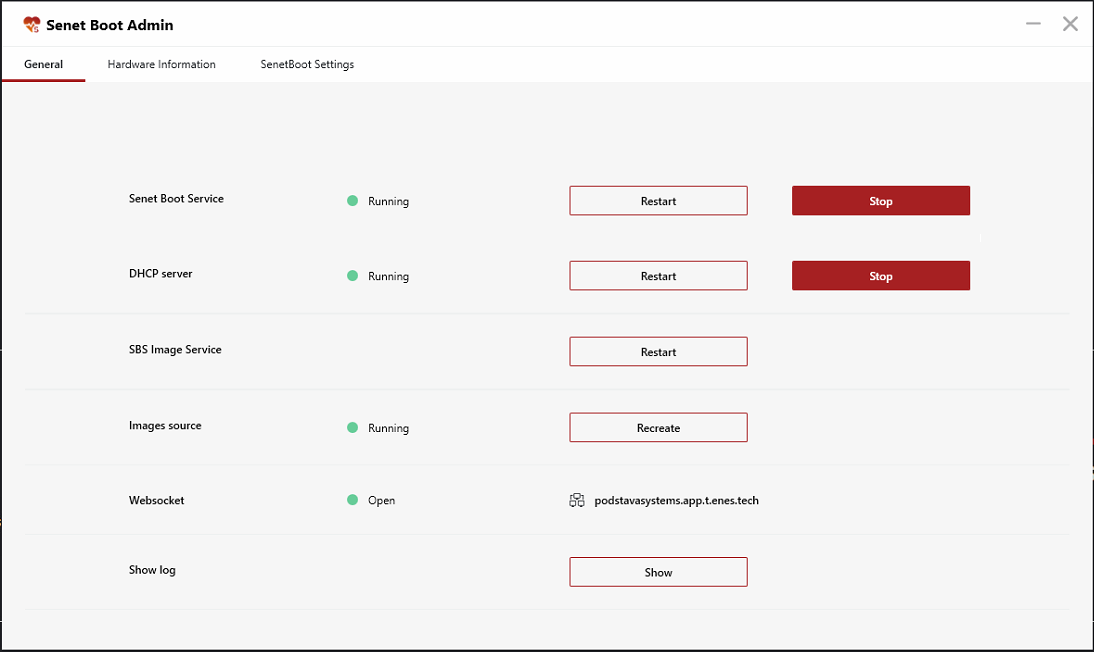
2. The system notifies you if the installation key or server address is entered incorrectly. The message appears in the SENET Boot installation window.
FIXES
- SENET Boot server no longer hands out the same IP addresses if several network cards are connected.
- After a personal folder is deactivated in CAP, it is no longer displayed on clients’ PCs.
- A gaming PC boots up even if a path for the personal folder is incorrect.
- The system boot process is displayed correctly.
- Image writebacks are deleted 5 minutes after the SENET Boot service crash.
- Fixed the bug when SENET Boot service hadn’t connected to the server right after restarting a PC.
Comments
0 comments
Please sign in to leave a comment.