
Date: 28.07.22
NEW FEATURES
1. Activation of passes in Shell
We took into account feedback from our users and added the My Passes tab in Shell. Now, players can check not only the list of purchased passes but also switch between available ones. The activated pass will be marked as Active. And the passes that fit the validity period and zone will be shown as available for use. As soon as the player activates the new pass, the previously used one moves to the list of passes available for activation.
Important! Before activating the pass, we recommend checking its expiration time. The expiration period is indicated for all passes that are available for activation. When the pass expires, the player will no longer be able to use it.
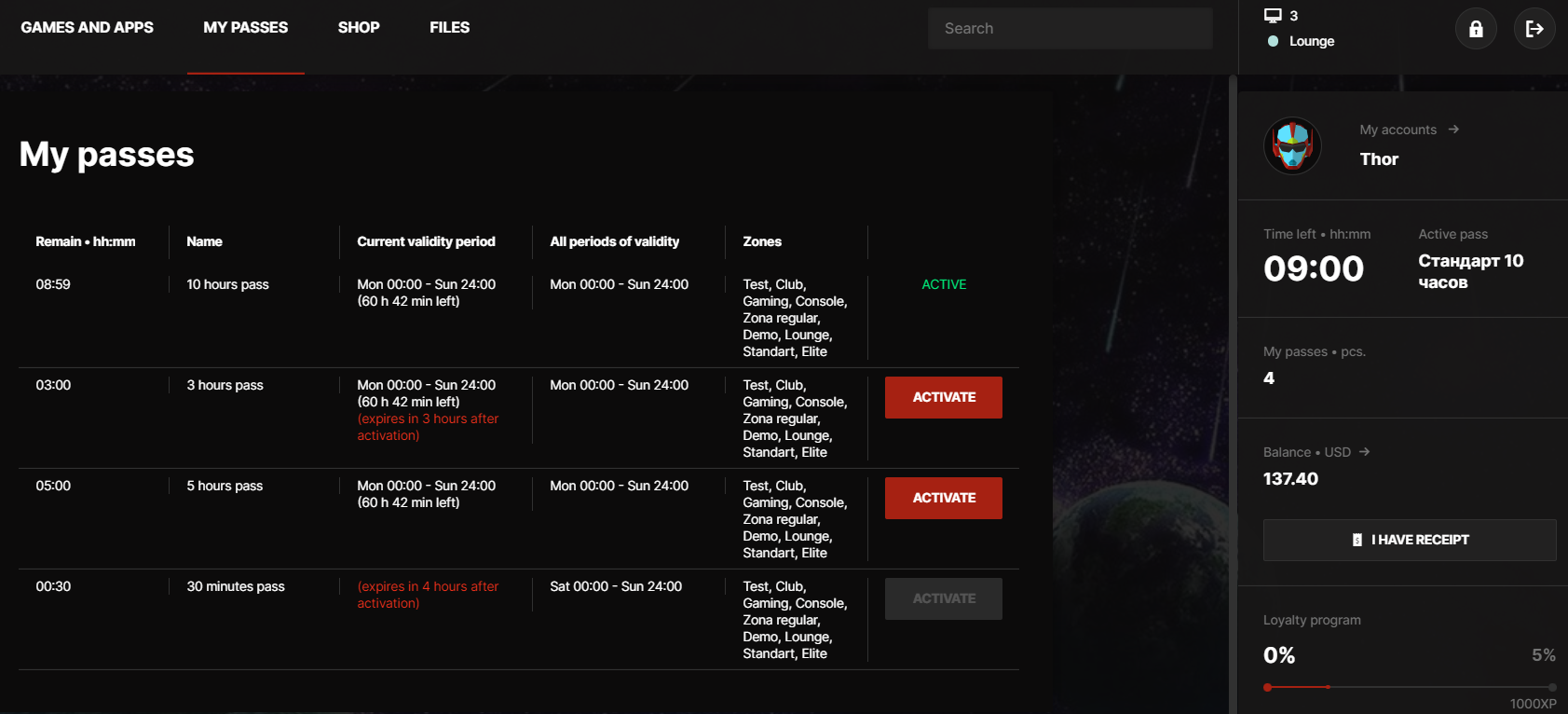
The Passes tab is not available for employees, checks, and postpaid customers.
2. Automatic license distribution for Rockstar
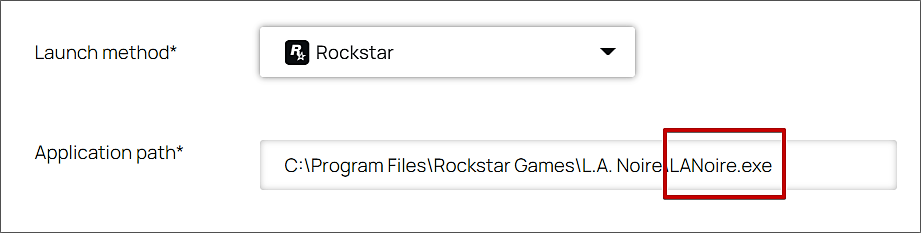
Rockstar's license distribution can now be configured via SENET. The gaming account will instantly launch after clicking on the content card.
Send our technical support a file containing licenses along with the name of the content card, and we will set up their distribution ourselves.
Select Rockstar launch method and enter the path to the game's .exe file in the content card.
3. Editing an active reservation
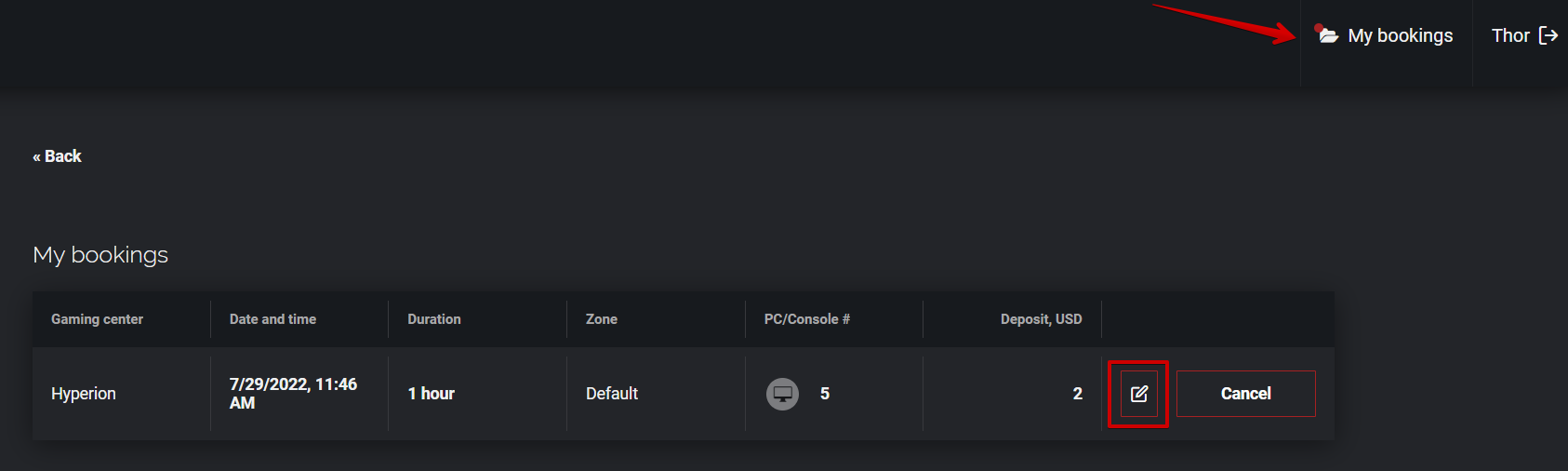
With each new version, we try to make the booking functionality much more convenient. For example, to reschedule date or time, it’s no longer required to cancel an active reservation and rebook a workstation. By opening My Bookings tab on the portal, venue visitors can easily change the date, time, and duration of the reservation.
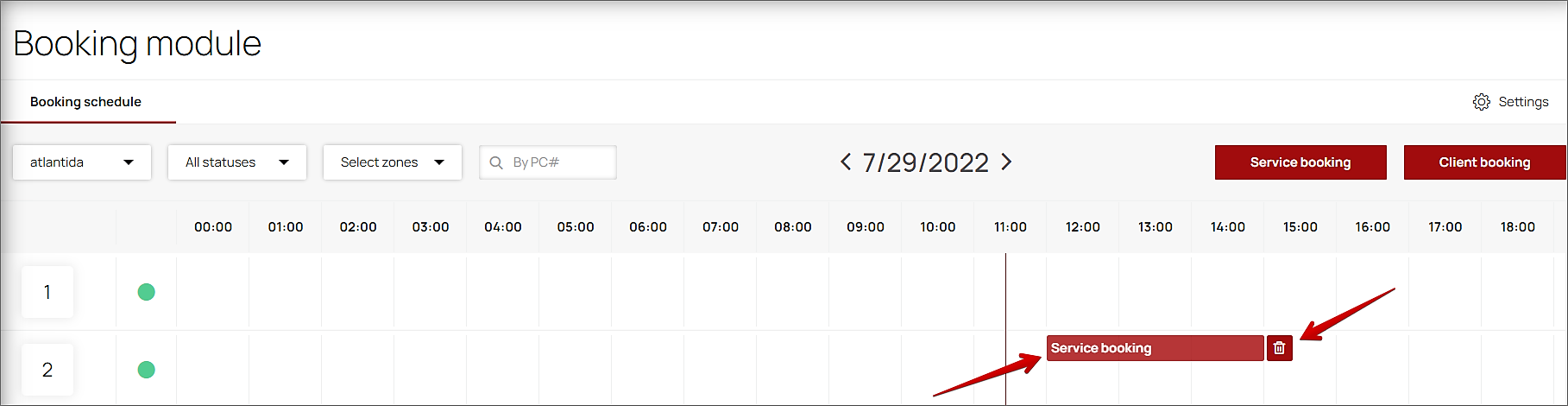
Additionally, we have expanded the possibilities for editing service and client bookings in CAP. An employee with access to view and cancel a booking can:
- reschedule the reservation period (date, time, and duration);
- change the number of the booked workstation;
- edit comment;
- delete a reservation by clicking on the bucket icon next to the active reservation.
Click on the icon of the reservation to reschedule it. SENET will show the error message if the required PC or time is already booked.
Important! A deposit amount doesn’t alter when the reservation period is changed.
4. Reservation reminders
Set up reminders for reservations so that customers don't forget about a scheduled visit to your gaming venue. If the parameter is turned on in the Settings of Booking module users will be notified at the predefined time, at least one hour before their sessions begin.
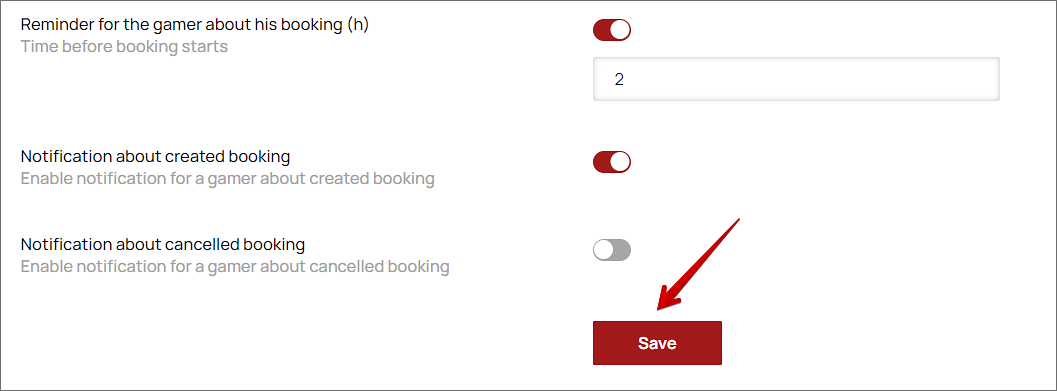
If registration by phone is enabled, clients will receive a message about upcoming reservation, including the date and PC/console number. With the standard registration, the same message will be sent by email. If the no-show penalty is enabled in Settings of Booking Module, the email will also indicate the amount that will be deducted from the balance for failed attendance. Employees receive reminders via email only.
5. Task Manager
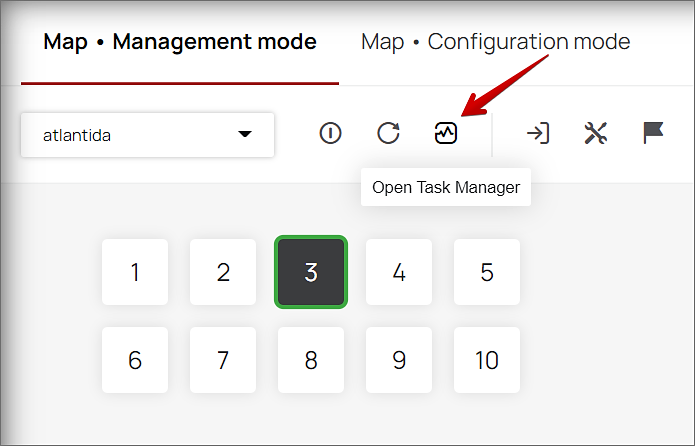
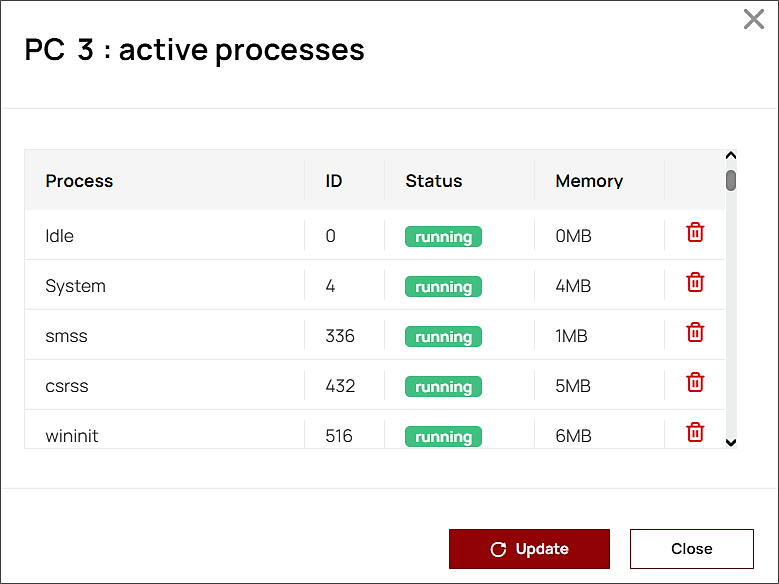
Frozen game or app? To terminate this task in Task Manager, you don't need to go to the PC since we have added this feature to the gaming venue Map. It shows all currently running processes of the turned-on PC and lets you terminate them remotely.
Select the PC where you want to check or terminate active processes and click on the Task Manager icon.
In the opened window click the bucket icon next to the process you want to terminate, then click Update.
The function can be used by employees with activated access to the task manager in the Roles and user access tab in CAP.
IMPROVEMENTS
1. Tax system
We have added Curaçao tax system for the sale of goods and services.
2. The Issues tab
Since players can contact staff via live chat, we have eliminated the Issues tab from the Users section of the admin panel.
3. Polish
The SENET system interface is now available in Polish.
4. Online top-up
If online top-up is not enabled for your gaming venue, its button will not be displayed in Shell. You can connect online top-up by contacting our technical support team.
BUG FIXES
- The 500 error doesn’t show up when a service booking is deleted.
- User sessions are not terminated if the rate is $0 per hour.
- Amounts are displayed with separators in CAP, Shell, and when printing receipts.
- If a high-quality image is uploaded for a goods card, the image is automatically cropped to fit 104x888 and does not go beyond its limits in the Cash register → Shop.
Comments
0 comments
Please sign in to leave a comment.