
Date: 10.02.2021
NEW FEATURES
1. Accounting and control of printing documents with a new printing system.
The new printing system will allow you to keep correct accounting of printing documents in the admin panel, pay for printing in the Senet cashdesk, connect printers and create different tariffs, view printing history. All these options can be done in the new section of the admin panel - "Files printing". It has three tabs - "Printing rates", "Printers", and "Printing history".
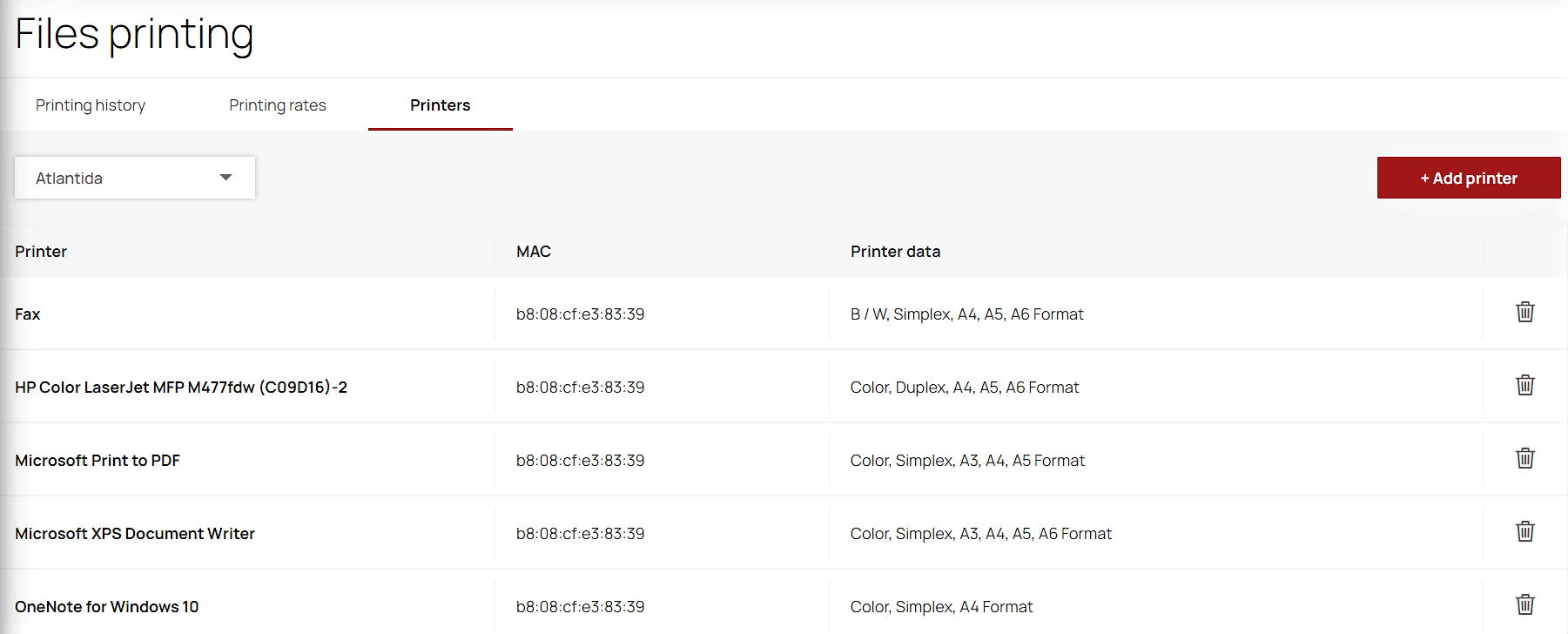
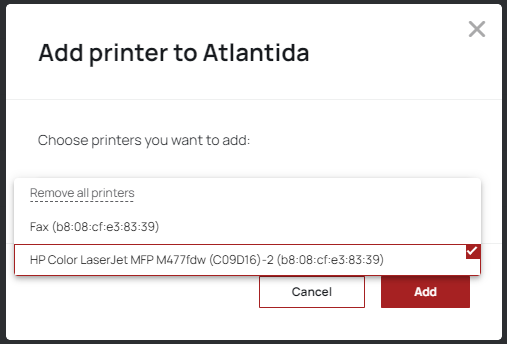
To configure the printing system, you need to install a special application SenetPrintingInstaller on the PC, to which the real printer is connected. Then, in the “Files printing” section in the “Printers” tab, you need to authorize the printer by clicking on the “Add printer” button and select the device from the list. Also, in this tab you can see a list of all added printers.
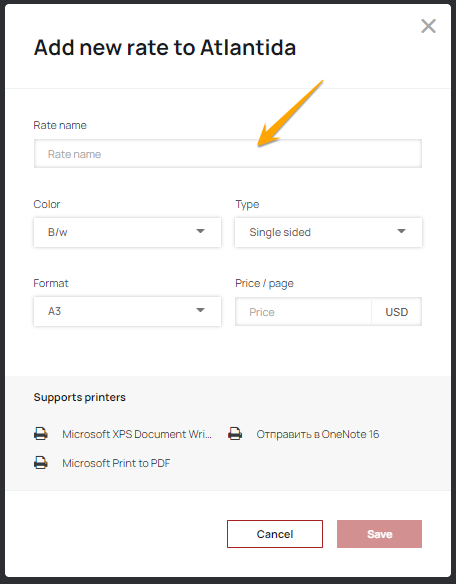
Create different rates for different types of printing in the "Printing rates" tab just by clicking on the "Add rate" button.
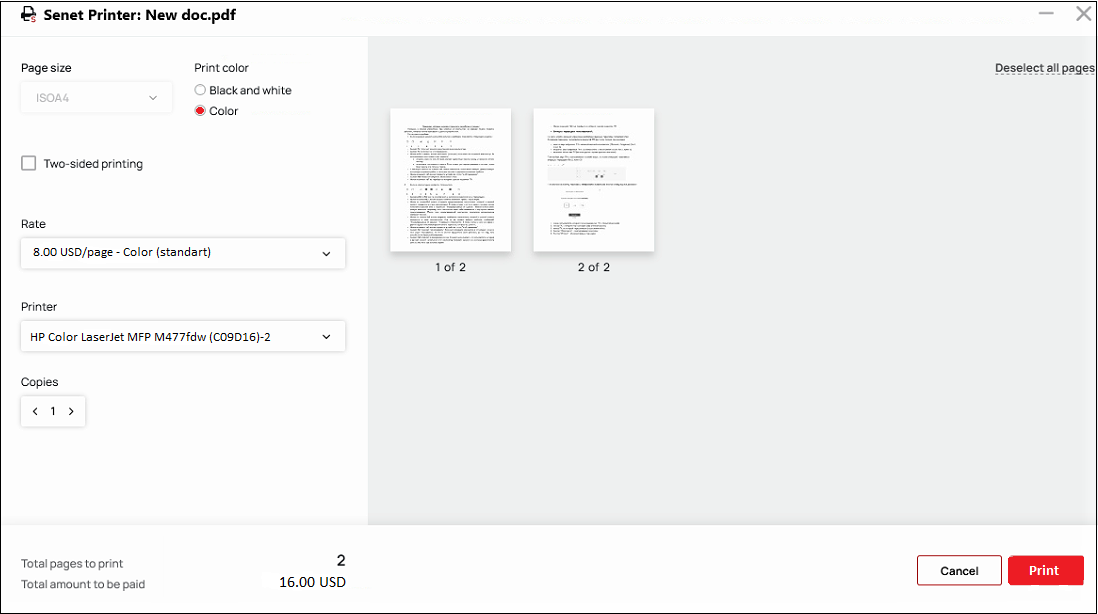
To print a document, you need to send the file for printing. In order for the operation to pass through the Senet system, in the opened window it is necessary to specify Senet Virtual Printer in the “Printer” field. Additional printing options can also be specified in this window. By clicking on the "Print" button, the Senet Printer application window will open, in which you can select printing settings, tariff, printer and see the estimated cost of printing.
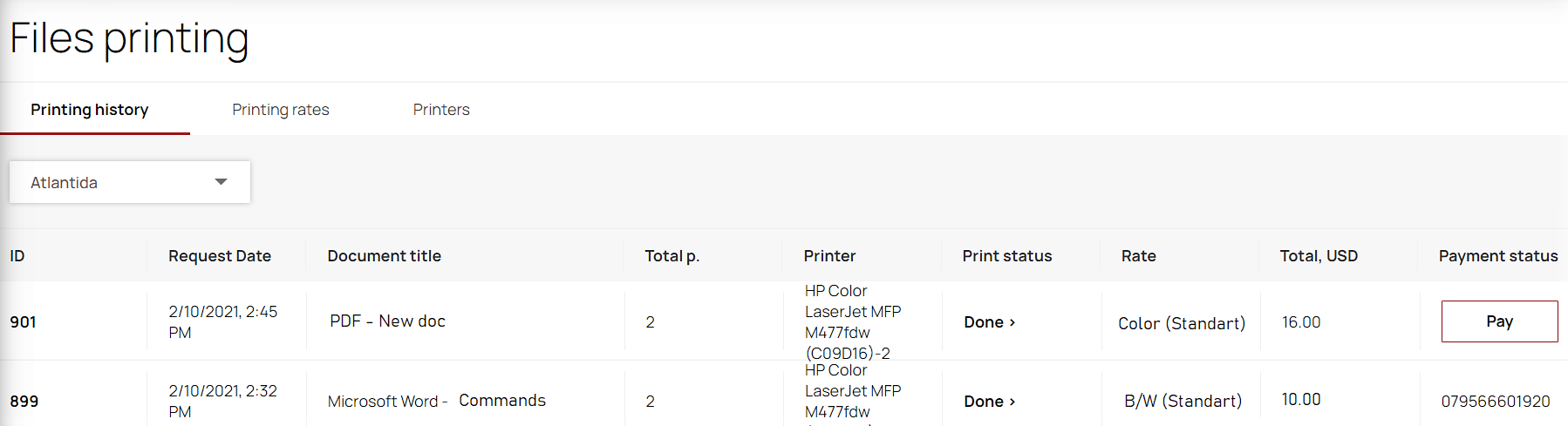
After clicking the "Print" button, a print request will be created in the admin panel in the "Printing history" tab. Here you can also view printing details such as request date, total cost, printing rate, payment status, etc. You can pay for printing just by clicking on the "Pay" button and after that, a check for this operation will be generated in the cashdesk.
If you have any questions about connecting the Senet printing system, please contact our technical support or your manager.
More information about the printing system you can find in this file.
2. New access rights.
For the effective distribution of duties between the club's employees, new access rights - “Document printing”, have been added which include three options:
- Access to document printing - provides access only to the "Printing History" tab.
- Access to Printers - provides full access to the "Printers" tab.
- Access to printing tariffs - provides full access to the "Printing rates" tab.
In order to have access to printers or tariffs, besides activating the corresponding access rights to these tabs, you also need to activate access to document printing.
3. New additional service.
The option of documents printing has been added to the list of paid additional services.
IMPROVEMENTS
1. The correct location of payment method buttons.
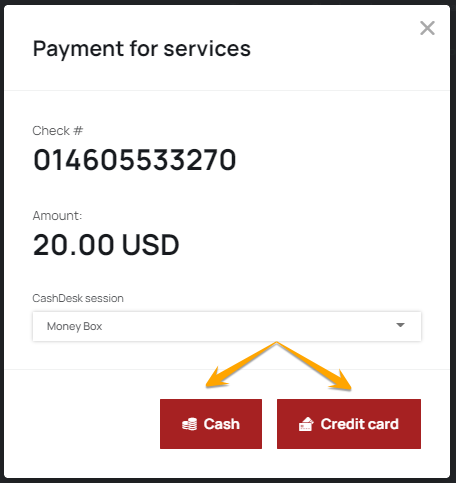
We have considered the wishes of our clients and changed the location of the buttons for the card and cash payment in the window of check creating for goods/services.
2. Improvement of the login screen design.
The background picture of the lock screen will not be duplicated in the left panel of the login menu.
BUG FIXES
- Fixed a bug when a one-time payment was not debited if in the organization's settings the time zone with a negative value was set.
- Fixed a situation when the X-Report did not contain information about orders from the client's part.
- Fixed a bug with incorrect displaying of the long username in the admin panel.
Download the patchnote in PDF format you can here.
Comments
0 comments
Article is closed for comments.