
CHANGES
- Working with images is much easier with the new version of SENET Boot. Create, delete or merge Snapshots (copies of images), using a new option in the local SENET Boot Admin panel.
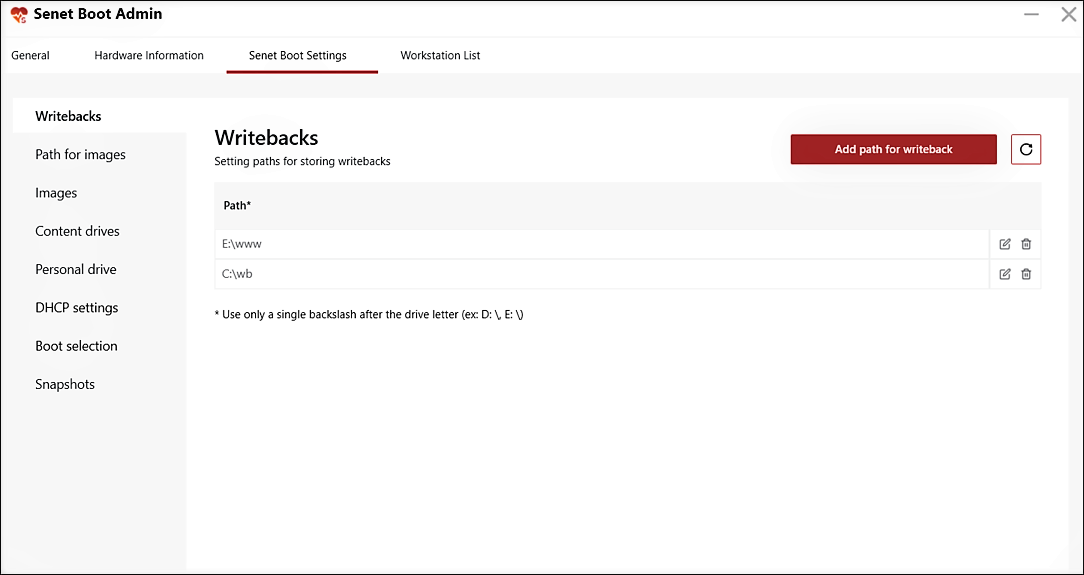
- Information about gaming PCs, editing IP addresses, launching superuser mode – all of these options are already available in the Workstation List section of SENET Boot Admin.
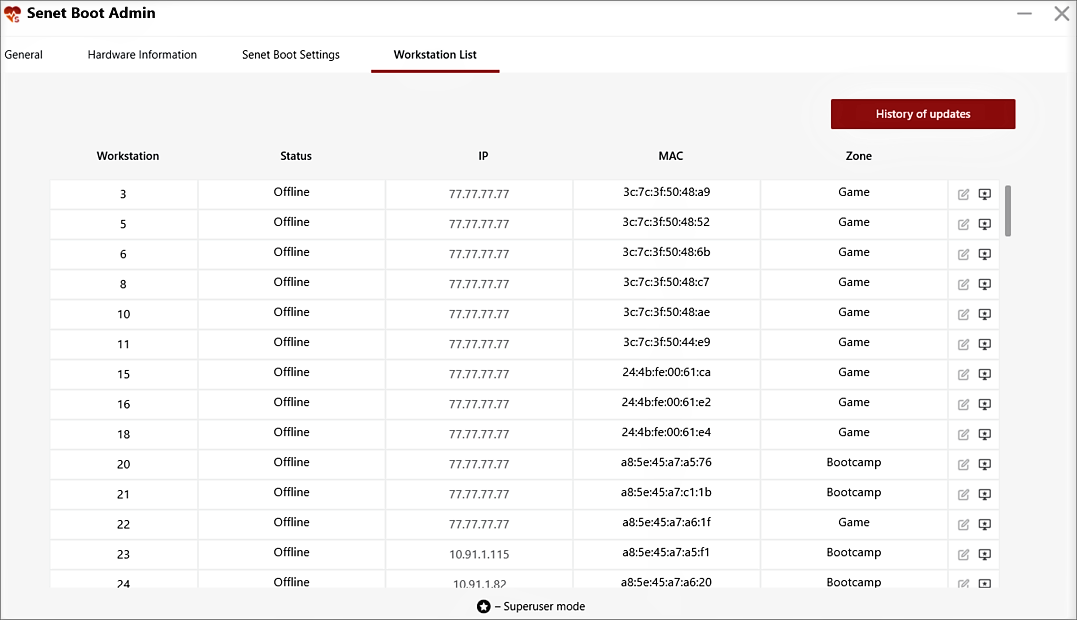
- Now you can set a static IP for your PCs without the help of our support team. Go to the Workstation List section in SENET Boot Admin panel to assign an IP address.
- All the necessary functionality of the diskless system is already available in SENET Boot Admin. Set up a personal drive in the local admin panel so that players have access to their private data even after restarting a PC.
- The local SENET Boot Admin panel is now available in English, Spanish, Portuguese, Vietnamese and Russian.
- After editing the sections in SENET Boot Admin, click on the Save button. If you just switch to another tab, all unsaved changes will be lost.
- The option of deleting the image path in SENET Boot Admin is not available if this image is being used.
- After clicking on the Update the image list button again, the notification about the previously submitted requests pops up.
FIXES
- The Install button in SENET Boot Server will not be active if the server address or installation key is entered incorrectly.
- After deleting SENET Boot Admin, the application will not be displayed on a PC.
- Fixed the bug due to which the image path did not change after editing and saving.
- The SENETBoot service is no longer disabled after saving changes to the drive and image.
- Fixed the bug in DHCP Settings that occurred when clicking on the blinding address and then updating it.
- The system will no longer search for an image by clicking on the Update the image list button if a non-existent path is indicated in the Path for images tab.
- Even if a non-existent path to an image that is not being booted is specified, the gaming PC will turn on.
Comments
0 comments
Please sign in to leave a comment.