
Content categories help you organize apps and games in the gaming interface (Shell).
You can create new categories, edit them, reorder them, and control their visibility.
How to Add a Content Category
Open Apps & Games → Settings.
You'll see Content Categories.
Click Add Category.
Enter a name in all required languages.
Click Add.
Enable the toggle next to the new category to display it in the Shell.
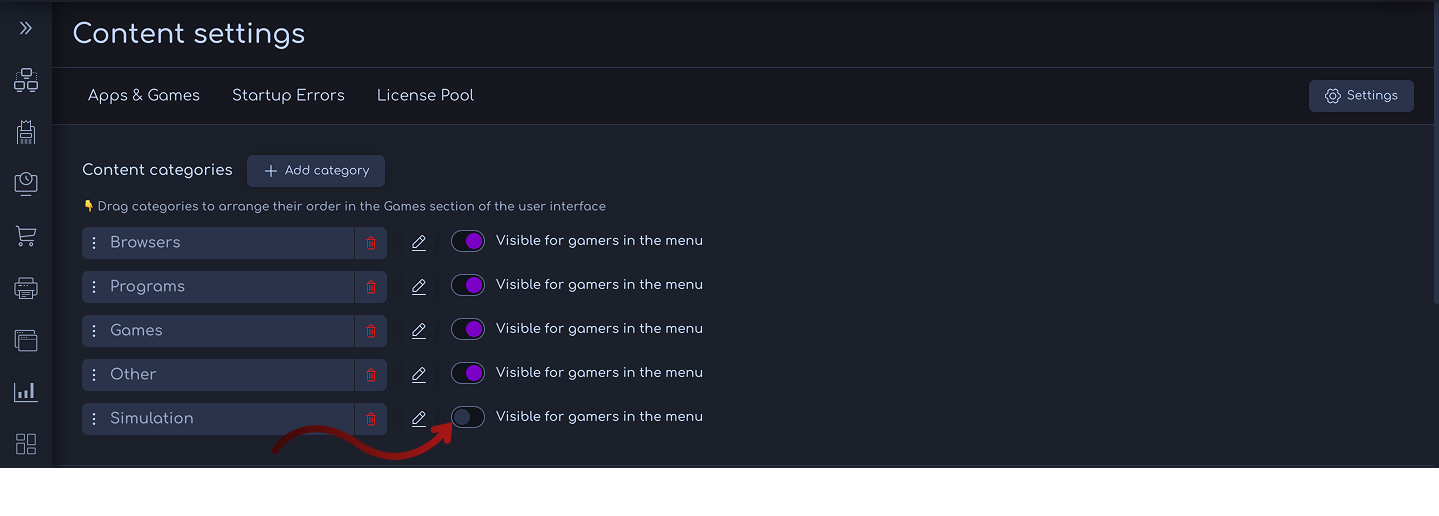
Managing Categories
Reorder: Drag and drop categories to adjust their order in the Shell.
Delete: Click the trash icon to delete a category. You can delete any category. Those that still contain content cannot be deleted.
Edit: Click the edit icon to change the category name in any language.
Comments
0 comments
Article is closed for comments.